
How Do I Size and Arrange an Ergonomic Desk-and-Chair Setup in a Small Home Office?
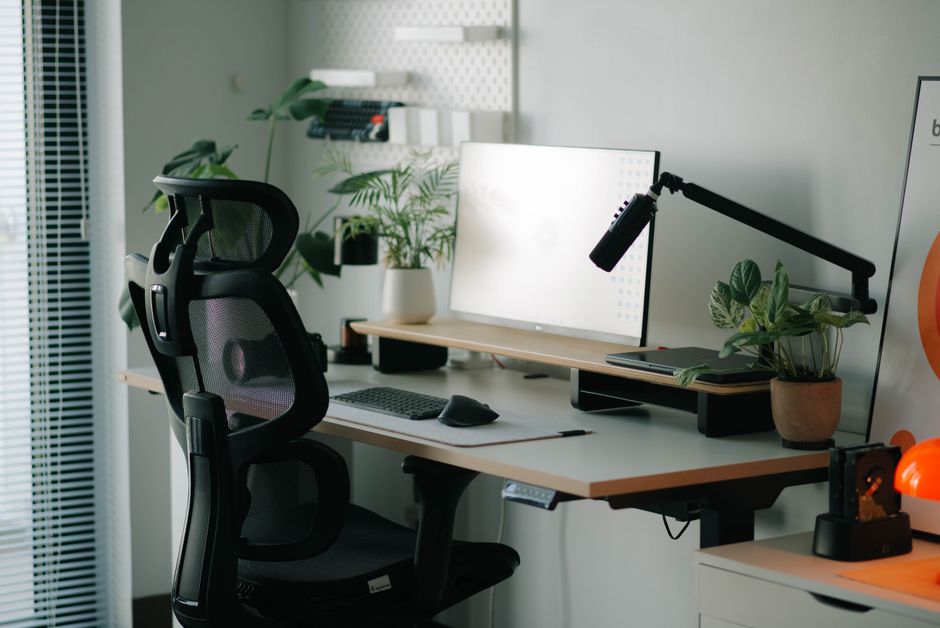
Size the setup around your body rather than the room: set the chair so both feet rest flat and knees sit slightly higher than the seat, then arrange the desk and monitor around that position. Preserve legroom, keep the screen directly ahead and 20 to 40 inches away, and use simple supports or risers when fixed furniture is the wrong height.
The apparent paradox of a small home office is that saving a few inches in the wrong place creates a larger problem: the monitor moves too close, the chair loses its adjustment range, or storage colonizes the leg space. The solution is not a universal furniture dimension. It is a measurement sequence: chair, keyboard surface, screen, then room layout.
What is the correct height for a desk and office chair?
The correct chair height lets the entire sole of each foot rest on the floor while the back of the knee is slightly higher than the seat; the desk then has to accommodate that seated position. This is the governing constraint from OSHA's chair guidance, and it prevents a common bad compromise: lowering the chair to fit a desk, then leaving the feet unsupported.
For a general starting point, Cornell University Human Factors and Ergonomics Laboratory identifies a 28- to 30-inch work surface as suitable for most adults when it serves both handwriting and computer work. That range is a starting point, not a verdict. Cornell's larger point is more useful: one flat surface cannot be ideal for keyboarding, mousing, writing, document viewing, and screen viewing at once.
| Check | Target from the guidance | Practical response if it is wrong |
|---|---|---|
| Feet and knees | Feet flat; back of knee slightly above the seat | Raise or lower the chair; if raising it leaves feet unsupported, add a footrest. |
| Seat depth | Supports most of the thigh without touching the back of the knee | Use a shallower seat position or choose a chair with appropriate seat depth. |
| Low back | Supported, with a backrest that permits at least 15 degrees of recline | Adjust the backrest; add a pillow or lumbar roll to an ordinary chair. |
| Under-desk area | Clear of files, books, CPUs, and other storage | Move storage elsewhere so posture can change during the day. |
A chair that rises to meet a high fixed desk is not automatically a problem. OSHA's desk guidance specifically recommends raising the chair and adding a footrest when a desk is too high. Conversely, stable risers can raise a work surface, and removing a center drawer can restore thigh clearance. These are modest interventions, but they address the geometry rather than disguising it.
Set the chair first. Everything else is downstream.
How much space do I need behind an office chair?
The provided ergonomic guidance does not prescribe one universal number of inches behind an office chair; instead, you need enough clear floor to sit, stand, and change posture without blocking the work surface or trapping the chair against furniture. Treat this as a functional measurement, not an arbitrary clearance standard.
Before buying a desk or chair, mark the intended chair position and run the actual movements: approach the desk, sit, stand, and turn toward any storage you must use. Then measure the desk's working depth separately. OSHA says the surface needs enough depth to place the monitor at least 20 inches from the user, and its monitor guidance gives a preferred eye-to-screen range of 20 to 40 inches. A room can accommodate a desk by footprint yet fail as a workstation because the screen has been pushed too close.
Small rooms reward a distinction between furniture depth and effective depth. If a shallow desk is against a wall, the monitor may consume the entire work surface. OSHA offers four practical corrections: move the desk away from the wall, use a flat-panel display, put the monitor in a corner, or use an adjustable keyboard tray. Each creates distance without requiring a larger room.
Under the desk, protect the volume needed by your legs and feet. OSHA warns that limited work-surface space can force components into undesirable positions, while stored items beneath the desk prevent posture changes. The room layout should therefore reserve three zones: a screen zone in front, a clear leg zone below, and a movement zone behind the chair. A corner, bedroom wall, or living-room edge can work if those zones survive the arrangement.
Can I make a dining table ergonomic for working from home?
Yes, a dining table can become workable when you adapt the chair, low-back support, screen height, and screen distance; it remains a compromise when those pieces cannot be adjusted. NIOSH recommends feet flat on the floor, hips and knees at or slightly greater than 90 degrees, and a box or book as foot support when needed.
The usual mismatch is simple: dining tables are fixed, but people are not. If the tabletop is high relative to your seated elbow position, raise the chair and restore foot support with a stable box or book. If the chair has no lumbar support, NIOSH recommends a pillow or lumbar roll to support the low back's natural inward curve. These adaptations are not decorative; they preserve the posture established in the first section.
The laptop creates a second conflict. Raising its screen improves viewing height but raises its keyboard; leaving it flat keeps the keyboard low but places the screen low. Cornell recommends an external monitor, an external keyboard, or both for sustained laptop work because the two heights cannot both be optimal on an unmodified laptop. For an external monitor, NIOSH suggests roughly an arm's-length distance with the top at or below eye level; stable books or a box can raise it.
Finally, arrange time as part of the workstation. NIOSH reports reduced musculoskeletal discomfort and eyestrain when conventional twice-daily breaks were supplemented with hourly five-minute breaks. Its 20/20/20 rule is equally concrete: every 20 minutes, look at an object 20 feet away for 20 seconds. Furniture cannot compensate for uninterrupted stillness.
The practical conclusion is blunt: measure before purchasing, adjust the chair before the desk, and preserve screen distance before reclaiming floor area. In a small office, those priorities turn constrained space into a usable workstation rather than a collection of furniture that merely fits.
Frequently Asked Questions
How do I set up a home office in a small bedroom?
Start with the seated work zone, not the empty floor area: place the monitor directly in front of you, maintain its viewing distance, and keep storage out from under the desk so your legs and feet can move. OSHA suggests several ways to recover depth in a shallow room, including moving the desk away from the wall, using a flat-panel display, placing the monitor in a corner, or adding an adjustable keyboard tray. Choose the arrangement that preserves the screen position and a usable path to the chair.
Should my monitor be higher or lower than eye level?
The top of the monitor should be at or slightly below eye level. OSHA says the screen center normally sits 15 to 20 degrees below horizontal eye level, while Cornell cites research placing it about 17 to 18 degrees below. Raise a low external monitor with stable books or a box if needed, but do not solve a too-high screen by slumping in the chair.
What should I adjust first if my back hurts at my desk?
Adjust the chair before the desk or monitor: establish flat foot support, a seat that does not press into the back of your knees, and support for the low back's natural inward curve. NIOSH recommends a pillow or lumbar roll for an ordinary chair, while OSHA says the backrest should provide lumbar support and allow reclining. Once the chair supports you, adjust the screen and work surface to fit that seated position.
Sources
- Occupational Safety and Health Administration: Computer Workstations eTool, Monitors
- Occupational Safety and Health Administration: Computer Workstations eTool, Chairs
- Occupational Safety and Health Administration: Computer Workstations eTool, Desks
- National Institute for Occupational Safety and Health: Working from Home
- Cornell University Human Factors and Ergonomics Laboratory: Computer Workstation Ergonomics Guidelines